

Your LG refrigerator has stopped cooling, your washing machine won't start, or your air conditioner keeps flashing an error code. You need an LG repair and you need it soon, but where do you begin?
LG India gives you five ways to request servicing: call the LG customer care number, message the support team on WhatsApp, book a repair online, email LG customer support, or find an LG service centre near you. This guide explains how each option works, which one suits which situation, and what to keep ready before you reach out.
LG contact options at a glance
| Option | Best for | Contact |
|---|---|---|
| Customer care call | Explaining a fault to a person | 08069379999 |
| Quick messaging and follow-ups | 9711709999 | |
| Online repair request | Booking at your own pace | LG repair request page |
| A written record, with photos | serviceindia@lge.com | |
| Service centre locator | Finding a centre near you | LG service centre locator |
Numbers and hours are as listed in our source information. Always confirm them on LG's official website before you contact anyone.
1. Call LG Customer Care
If you want to explain the problem to someone directly, start with customer care. You can describe the fault, ask about service availability in your area, and find out how to arrange a technician visit.
Customer care number: 08069379999
To request a repair:
- Call the number and explain which appliance has a problem.
- Describe the fault, including any error code displayed on the appliance.
- Share the model number, PIN code and warranty details when requested.
- Ask whether LG can arrange a technician visit at your address.
- Note down the complaint number and any appointment details.
The original information lists customer care hours as 9 AM to 6 PM, seven days a week, except national holidays. Check the current timings before calling.
Official website: LG India Customer Support
If you can't get through, you can try WhatsApp or register a repair request online.
2. Message LG on WhatsApp
Not everyone wants to spend time on a phone call. WhatsApp gives you another way to contact support, describe an appliance fault, or ask about a complaint you've already registered.
WhatsApp number: 9711709999
Here's what to do:
- Open WhatsApp and start a chat using the number listed on LG's official website.
- Explain the problem and mention which appliance you're using.
- Provide your model number and PIN code if requested.
- Ask how to book a repair or check the status of an existing request.
- Save the complaint number so you can refer to it later.
The original information lists WhatsApp support as available 24 hours a day, except national holidays. Verify the current availability on LG's website.
Official website: LG India Contact Us
Before sharing personal details, make sure you're using LG's official WhatsApp contact.
3. Book a Repair on LG's Website
You can register a service request online without calling customer care. This is a practical option if you already know what's wrong with your appliance and want to submit the details at your own pace.
Follow these steps:
- Visit LG's Repair Request page.
- Select your appliance and enter the product details requested.
- Choose the relevant problem or describe the fault.
- Fill in your contact information and service address.
- Review the details and submit the request.
- Keep the complaint or receipt number for follow-up.
LG also provides other support facilities through its website.
Live chat: Visit the Contact Us page and check the available chat options. You may be able to start with the virtual assistant and speak to a live consultant if one is available.
Repair tracking: Already booked a repair? Use LG's Repair Tracking page to check its status. Keep your receipt number and registered phone number handy.
Video consultation: If you'd like to discuss the issue with an LG expert, visit the Video Consultation page and check the available appointments for your product.
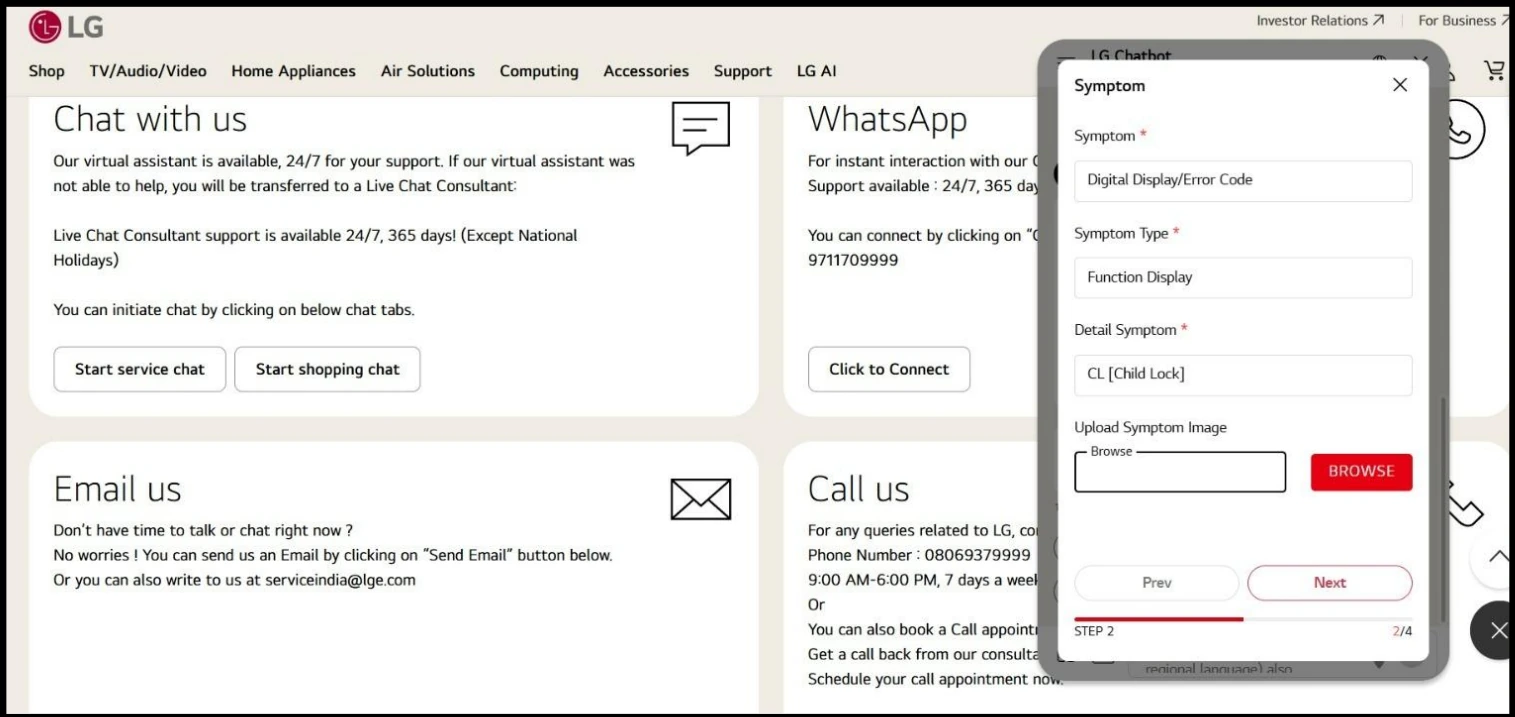
Screenshot: LG India Contact Us page. Layout and options may change.
4. Email LG Customer Support
Email is worth trying when the problem needs a detailed explanation or you want a written record of your conversation with support. You can also attach photographs showing the fault.
Email address listed in the original information: serviceindia@lge.com
Confirm that this address is still valid on LG's official email support page before sending your request.
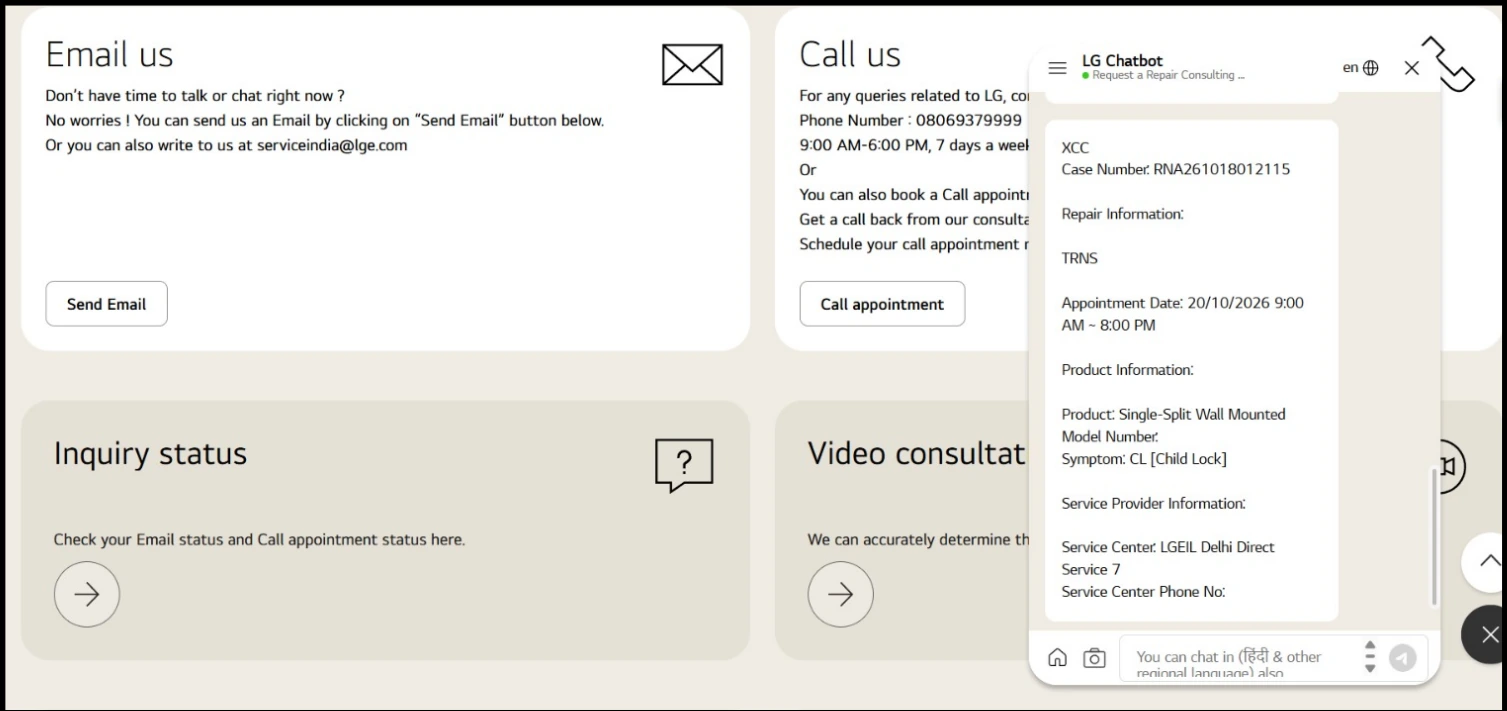
Screenshot: LG India Contact Us page. Layout and options may change.
Keep your email straightforward. Include:
- Subject: LG Appliance Repair Request, followed by the appliance type or your PIN code.
- Product details: Model number and serial number, if available.
- Problem: Explain what has gone wrong and mention any error code.
- Contact information: Your phone number and service address.
- Warranty details: Purchase date and warranty status, if relevant.
- Existing complaint number: Include it if you've already registered a request.
If photographs or your purchase invoice help explain the issue, attach them. Ask what you need to do next and save the reply.
Haven't received a response? Follow up through customer care or the online support facility, referring to your original email and complaint number.
5. Find an Authorised LG Service Centre
Sometimes you may want to speak to a service centre directly, particularly if you need to know whether your appliance requires a home visit or must be taken in for repair.
LG has an online locator to help you find authorised service centres.
How to find one near you:
- Open the LG Service Centre Locator.
- Enter your location or PIN code.
- Check the results for a nearby centre.
- Call ahead to confirm its address, opening hours and whether it handles your appliance.
- Ask whether you should bring the appliance in or arrange a technician visit.
Carry your purchase invoice and appliance details if you visit in person. Before agreeing to a repair, ask about inspection fees, spare-part costs and transportation charges. These can vary depending on the appliance, warranty coverage and type of fault.
If you can't find a suitable centre nearby, contact LG customer care and ask about service availability in your area.
What Information Should You Keep Ready?
Before contacting LG, take a few minutes to gather the details of your appliance. This can save you from having to look for the model number or invoice halfway through the conversation.
You'll generally want your appliance's model number, serial number if available, purchase invoice, warranty details, PIN code and complete service address. Also note down what the appliance is doing, when the problem started, and any error code on the display.
If you've already contacted LG, keep the complaint number handy. You'll need it when asking for an update or explaining why the issue remains unresolved.
One important precaution: don't share passwords or OTPs with someone claiming to arrange a repair.
What If Your Repair Request Is Still Pending?
If LG hasn't resolved the problem, check the existing request before registering another one. Start with the Repair Tracking page.
If the status hasn't changed or a technician missed the appointment, contact customer care or follow up through WhatsApp or email. Give them your existing complaint number and explain what has happened so far.
Keep the dates of previous calls, promised appointments and any charges quoted. If repeated follow-ups haven't helped, ask customer care how to escalate the complaint.
Which Contact Method Should You Use?
If you're unsure where to start, choose based on what you need. Calling customer care is useful when you want to discuss the problem directly; WhatsApp works if you prefer messaging, while the online repair form is a good starting point when you want to register a request yourself.
For a written record, use email. If you need to locate a nearby authorised repair centre, use LG's service centre locator.
You can use more than one support channel if necessary, but refer to the same complaint number so the history stays connected.
Keep LG's Support Page Handy
The next time an appliance stops working, you won't have to search for contact details from scratch. Bookmark LG India's official support website to find repair booking, troubleshooting information, warranty details and contact options.
Tracking every repair in one place
Juggling complaint numbers, appointment dates and phone calls is the hardest part of any repair. Whichever LG channel you use, note the complaint number and keep every message together. If you would like to see how a repair can be organised from booking to completion in a single app, read how EveryWare works, explore the features, or get in touch if you have a question. You can also learn about EveryWare and the team behind it.
This article is published by EveryWare, an independent consumer information platform. EveryWare is not LG Electronics' official website. Contact details, support hours, appointment availability and service charges may change. Check LG's official channels for the latest information before proceeding.